效果图:
描述说明:
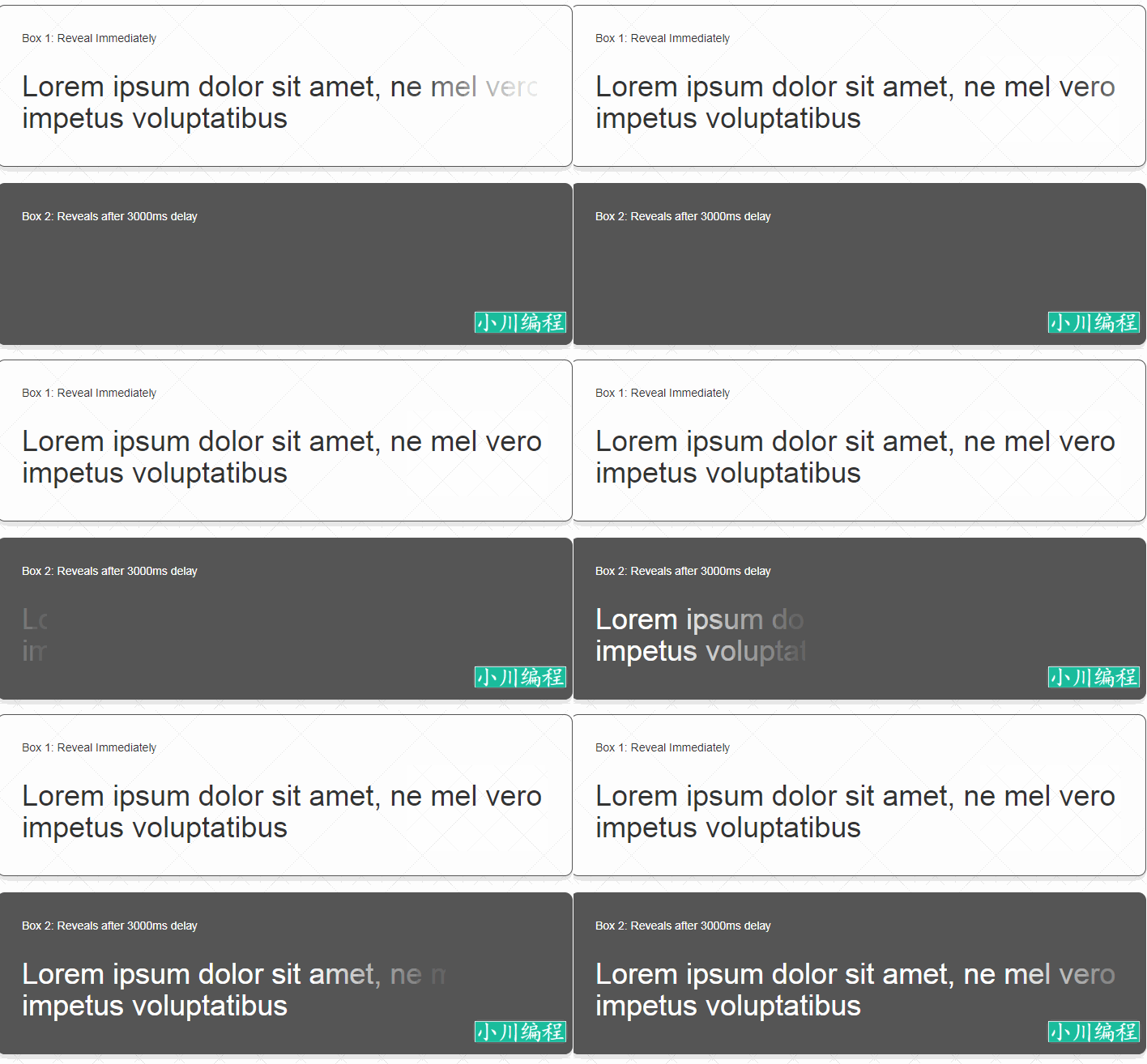
案例1:立即在页面加载
<div class="container">
    <div class="row">
        <div class="col-xs-12">
            <p>Box 1: Reveal Immediately</p>
            <div class="box1">
                <h1>Lorem ipsum dolor sit amet, ne mel vero impetus voluptatibus</h1>
            </div>
        </div>
    </div>
</div>
<script type="text/javascript">
jQuery(function () {
    //Box 1: reveal immediately - on page load
    //NOTE: id does refer to an element id, It is used to
    //      uniquely refer to the element to be revealed.
    var options1 = {
        id: 'box1'
    };
    $('.box1').initReveal(options1);
});
</script>
案例2:指定的延迟后:设置背景颜色
<div class="container" style="background-color: #555;">
    <div class="row">
        <div class="col-xs-12">
            <p>Box 2: Reveals after 3000ms delay</p>
            <div class="box2">
                <h1>Lorem ipsum dolor sit amet, ne mel vero impetus voluptatibus</h1>
            </div>
        </div>
    </div>
</div>
<script type="text/javascript">
jQuery(function () {
    //Box 1: reveal immediately - on page load
    //NOTE: id does refer to an element id, It is used to
    //      uniquely refer to the element to be revealed.
    var options2 = {
        id: 'box2'
        , delay: 3000
        , background: '#555'
    };
    $('.box2').initReveal(options2);
});
</script>案例3:点击事件——如。onclick
<div class="container">
    <div class="row">
        <div class="col-xs-12">
            <p>Box 3: Reveal on click event</p>
            <div>
                <div class="box3">
                    <h1>Lorem ipsum dolor sit amet, ne mel vero impetus voluptatibus</h1>
                </div>
            </div>

            <button class="btn btn-primary btn-reveal">Reveal!</button>
        </div>
    </div>
</div>
<script type="text/javascript">
jQuery(function () {
    //Box 1: reveal immediately - on page load
    //NOTE: id does refer to an element id, It is used to
    //      uniquely refer to the element to be revealed.
    var options3 = {
        id: 'box3'
        , auto: false
    };
    var box3 = $('.box3');
    box3.initReveal(options3);

    $('.btn-reveal').on('click', function () {
        box3.performReveal(options3);
    });
});
</script>
案例4:当元素卷轴到视窗
<div class="container">
    <div class="row">
        <div class="col-xs-12">
            <p>Box 4: Reveal when element scrolls into the viewport</p>
            <div>
                <div class="box4">
                    <h1>Lorem ipsum dolor sit amet, ne mel vero impetus voluptatibus</h1>
                </div>
            </div>
        </div>
    </div>
</div>
<script type="text/javascript">
jQuery(function () {
    //Box 1: reveal immediately - on page load
    //NOTE: id does refer to an element id, It is used to
    //      uniquely refer to the element to be revealed.
    var options4 = {
        id: 'box4'
        , auto: false
        , trigger: 'on-visible'
    };
    $('.box4').initReveal(options4);
});
</script>转载请注明来源地址:小川编程 » https://www.youhutong.com/index.php/article/index/243.html
1、本站发布的内容仅限用于学习和研究目的.请勿用于商业或非法用途,下载后请24小时内删除。
2、本站所有内容均不能保证其完整性,不能接受请勿购买或下载,如需完整程序,请去其官方购买正版使用
3、本站联系方式Email:admin@youhutong.com ,收到邮件会第一时间处理。
4、如侵犯到任何版权问题,请立即告知本站(立即在线告知),本站将及时删除并致以最深的歉意