效果图:
描述说明:
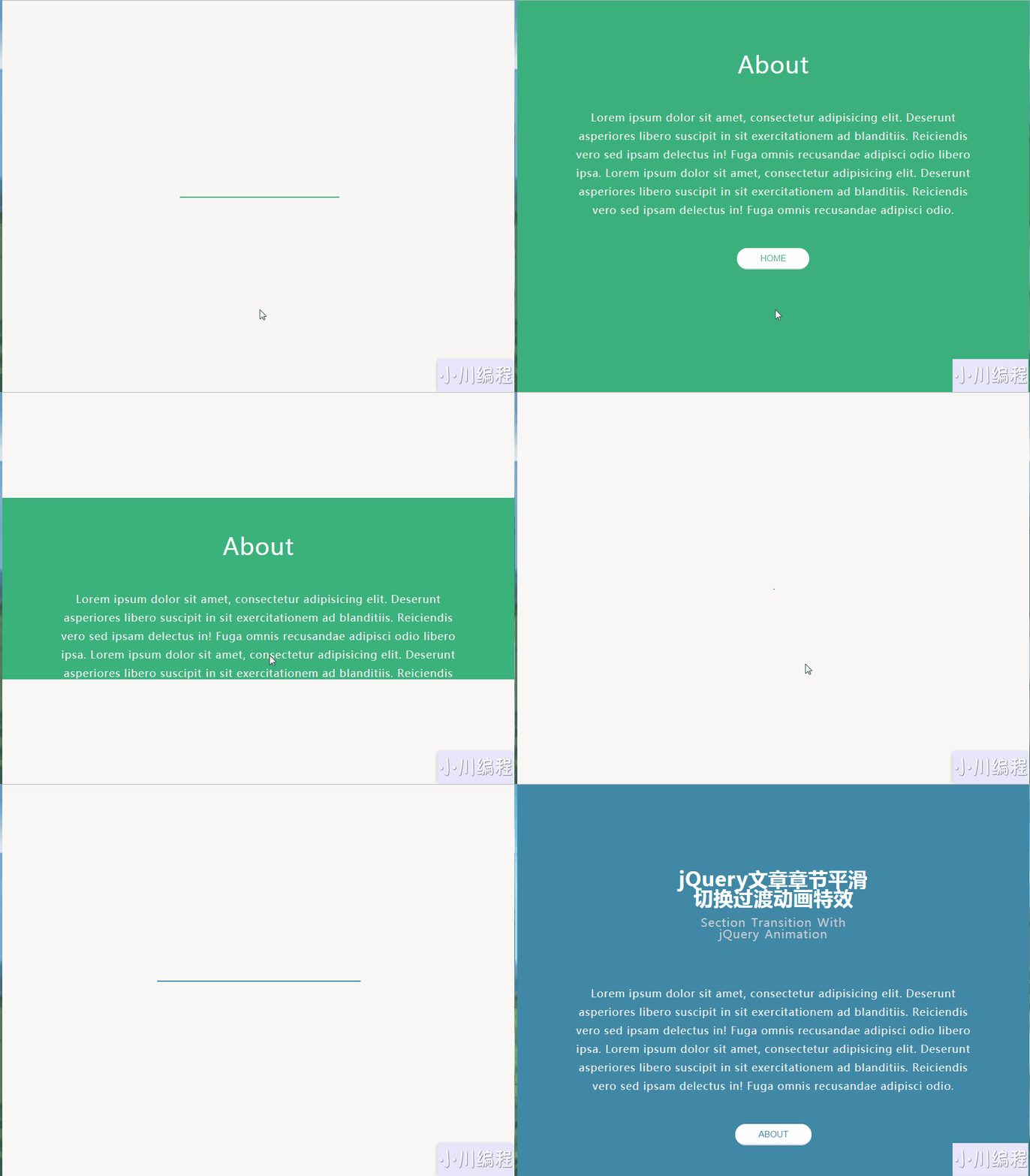
这是一款可以实现文章章节段落平滑切换过渡的jQuery特效。该特效在用户点击了切换按钮之后,当前界面垂直缩小为一条线,再变为一个点消失,接着从这个消失点的位置再逆向打开新的章节界面。
HTML结构
这个例子中的HTML结构分为两个部分:第一个部分是当前的主界面,包裹在<main>元素中,第二个部分是要切换的章节界面,包裹在<section>元素中。
<main>
   <section class="main">
      <div class="container mainContent">
    <h1>......</h1>
          <p>......</p>
          <button class="about">About</button>
      </div>
   </section>
</main>

<section class="aboutSection">
 <div class="container aboutContent">
    <h1>About</h1>
    <p>......</p>
    <button class="home">Home</button>
 </div>
</section>
JavaScript
该文章章节切换特效主要使用的是jQuery的animate方法来完成,代码非常简单,它通过不断的设置元素的min-height,height,top,padding,padding-top和padding-bottom属性来完成。
$(function () {
    'use strict';
    var main = $('.main'), about = $('.aboutSection');
    $('.about').click(function () {
        main.animate({
            'height': '0',
            'top': '50vh',
            'padding': '0'
        }, 300).animate({
            'width': '2px',
            'left': '50%'
        }, 900).fadeOut(200, function () {
            about.fadeIn(200);
            about.animate({
                'width': '100%',
                'left': '0'
            }, 900);
            about.animate({
                'min-height': '100vh',
                'top': '0',
                'padding-top': '50px',
                'padding-bottom': '50px'
            }, 300);
        });
    });
    $('.home').click(function () {
        about.animate({
            'min-height': '0',
            'height': '0',
            'top': '50vh',
            'padding': '0'
        }, 300).animate({
            'width': '2px',
            'left': '50%'
        }, 900).fadeOut(200, function () {
            main.fadeIn(200).animate({
                'width': '100%',
                'left': '0'
            }, 900).animate({
                'height': '100vh',
                'top': '0',
                'padding-top': '100px',
                'padding-bottom': '100px'
            }, 300);
        });
    });
});转载请注明来源地址:小川编程 » https://www.youhutong.com/index.php/article/index/345.html
1、本站发布的内容仅限用于学习和研究目的.请勿用于商业或非法用途,下载后请24小时内删除。
2、本站所有内容均不能保证其完整性,不能接受请勿购买或下载,如需完整程序,请去其官方购买正版使用
3、本站联系方式Email:admin@youhutong.com ,收到邮件会第一时间处理。
4、如侵犯到任何版权问题,请立即告知本站(立即在线告知),本站将及时删除并致以最深的歉意